

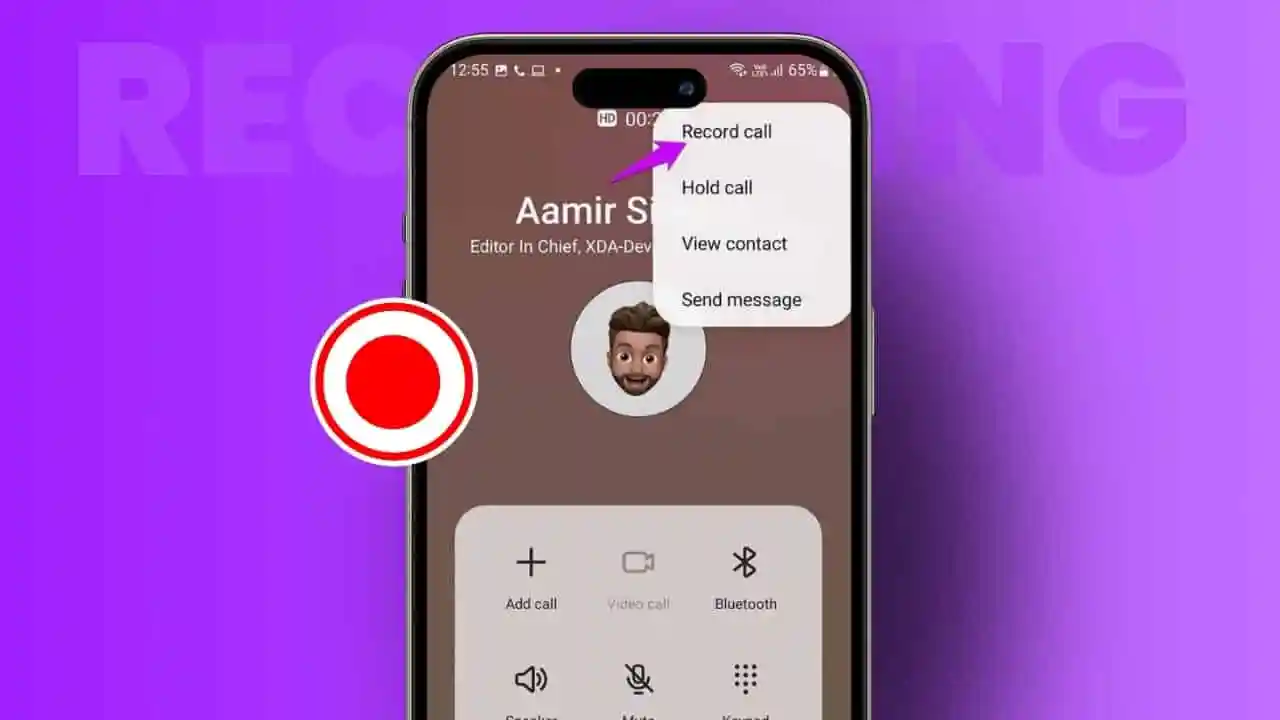
Recording phone calls has become increasingly important today. Many people rely on call recordings for work, security, important agreements, and personal memories. With recent updates, both Android and iPhone users now have more options—but also more restrictions.
Before recording any call, it’s essential to understand safe methods, trusted tools, and legal requirements.
Why People Record Calls
Call recording helps users capture important details they might forget after a conversation. It is widely used by professionals during meetings, interviews, and business discussions to ensure accuracy.
Students often record lectures for later study, while families may save meaningful conversations. In some cases, recordings are also used for safety and documentation purposes.
Beyond convenience, call recordings improve productivity. Instead of taking notes, users can focus on conversations and review them later. This reduces misunderstandings and helps track agreements clearly.
Call Recording Legality Explained
Call recording laws vary by country, and in many places like India, consent is required. This means you must inform the other person before recording any call.
Recording without permission can lead to legal issues. Many companies also follow strict privacy policies to protect user data.
Modern operating systems have added privacy restrictions. Some Android devices limit recording features, while iPhones often prevent silent recordings. These changes are designed to protect user privacy.
To stay safe, always inform the other party before recording any conversation.
How to Record Calls on Android
Recording calls on Android depends on your device and region. Some smartphones include built-in call recording features.
To use it:
- Open the Phone app
- Go to Settings
- Enable call recording (if available)
- Tap the record button during a call
Some devices allow automatic recording for selected contacts. However, this feature may be disabled in certain regions.
If your phone doesn’t support it, you can use third-party apps like Auto Call Recorder. After installing:
- Grant microphone and storage permissions
- Enable automatic recording
- Choose specific contacts if needed
Some apps also support cloud backups like Google Drive or Dropbox.
Keep in mind, not all apps work perfectly. Some may crash, record only one side of the conversation, or require paid subscriptions.
iPhone Call Recording Options and Limitations
Call recording on iPhone has traditionally been limited. However, with iOS 18, Apple introduced a built-in recording feature.
Users can:
- Tap “Record” during a call
- Hear an automatic announcement informing all participants
- Save the recording in the Notes app
While useful, this feature has limitations:
- Not available in all regions
- No automatic summaries
- Announcement prevents discreet recording
Alternative methods like using speakerphone with Voice Memos may work, but audio quality is often poor.
Some services like Google Voice allow recording, but only in specific regions such as the United States.
Why Third-Party Apps Often Fail
Many third-party apps struggle due to modern privacy restrictions. Common issues include:
- App crashes during long calls
- Poor audio quality
- Recording only one side of the conversation
- Hidden subscription costs
Operating systems now restrict access to call audio, making it harder for apps to function properly. This has reduced their reliability significantly.
Hardware Recording: A Reliable Alternative
Hardware recorders are becoming a popular solution. Devices like Plaud Note offer stable and high-quality recording without relying on software limitations.
These devices:
- Attach easily to your phone
- Record directly from the audio source
- Work with calls, apps, and meetings
They also provide strong battery life and large storage capacity. Some models include AI features like transcription, summaries, and speaker identification.
Because they bypass software restrictions, hardware recorders offer more consistent performance.
Conclusion
Recording calls on Android is relatively simple if your device supports it. iPhone options are improving but still limited. Legal rules require clear consent before recording any conversation. While third-party apps can work, they often face reliability issues. Hardware solutions provide better quality and consistency.
